We use essential cookies for sign-in and optional analytics cookies to understand how the site is used. See our Cookie Policy, Privacy Policy, and Terms of Service.
The invisible AI
meeting assistant
for Mac and Windows.
incogno is a floating Mac and Windows overlay that listens, reads your screen, and answers your questions in real time — designed to stay hidden from screen share and recordings.
macOS 13+ · Windows 10/11 · Free trial · No credit card required
Works with
< 2s
Avg AI answer
12+
Assist modes
< 1 min
Setup time
0
Recordings stored
The product
A real-time AI copilot for meetings, interviews & coding.
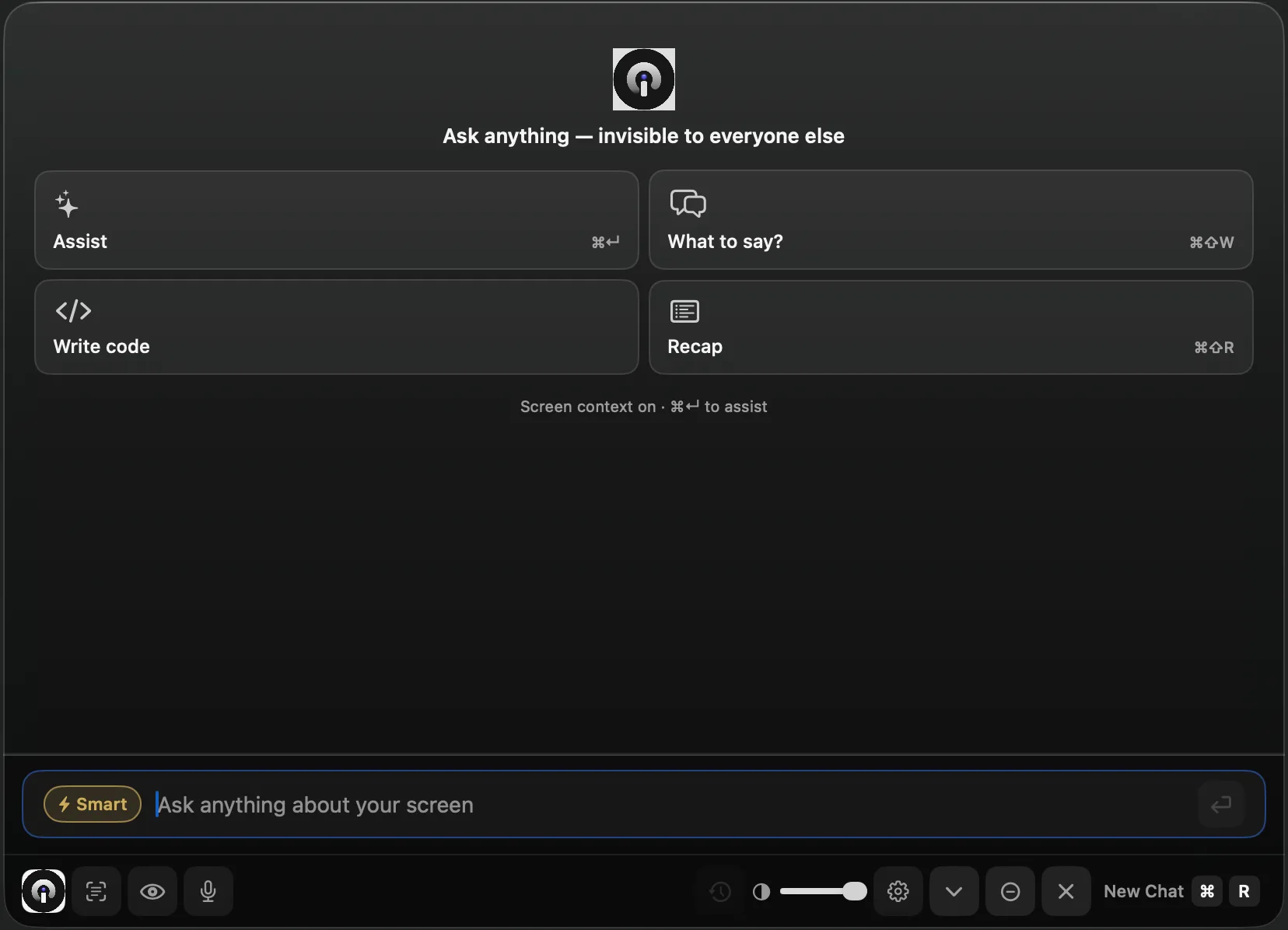
incogno lives on your desktop — Mac or Windows — quick actions, live answers, and screen-aware help without switching windows or joining your call as a bot.
One-tap actions for every moment in a meeting.

Ask anything about your screen — hidden from everyone else.

Instant AI answers without leaving your call.
Everything you need, invisible to everyone else.
A native Mac and Windows overlay — not a browser extension, not a bot in your participant list. It lives on top of every app, visible only to you.
AI Assist
Real-time answers in Zoom, Google Meet & Teams.
Press ⌘↵ to ask anything. incogno reads your live transcript and screen, then generates a concise answer in under 2 seconds.
Stealth mode
Invisible to everyone else.
- Meeting audio streams securely for live transcription — raw audio is never stored
- Stealth mode is designed to keep the overlay out of screen share and recordings on supported setups
- AI requests are encrypted — live transcripts aren't stored unless you save them
- You control what gets shared: meeting audio only, or audio + screen context
Live transcript
Live meeting transcription.
Meeting audio is transcribed in real time over an encrypted connection — processed transiently, never stored, and never used to train AI models.
You: How do you handle state in React?
Colleague: Great question. Walk me through your approach.
Screen vision
Sees what you see.
Capture the active window for more accurate answers — coding problems, slide decks, error messages, documentation.
Coding assist
Solve problems before they're finished asking.
incogno reads the coding problem on your screen and generates clean, working code with explanation — in seconds, before you have to type a word.
Knowledge base
Your facts, always on hand.
Upload your resume, company notes, or study docs. incogno surfaces the relevant section right when the question lands.
Up in under a minute.
No complicated setup. No joining a waiting list. Just download and go.
Download & install
One-minute setup on macOS 13+ or Windows 10/11. Grant the screen permission once. No Zoom bots, no browser extensions.
Press ⌘↵ to ask
Type a question or press Assist after speaking. incogno reads your transcript and screen, then answers instantly.
Stay invisible
The floating overlay is designed to stay out of screen shares and recordings on supported setups. Only you see it.
Your conversations stay yours.
incogno was built from the ground up to handle sensitive conversations — client calls, team syncs, internal meetings — without compromising your privacy.
- Meeting audio streams securely for live transcription — raw audio is never stored
- Stealth mode is designed to keep the overlay out of screen share and recordings on supported setups
- AI requests are encrypted — live transcripts aren't stored unless you save them
- You control what gets shared: meeting audio only, or audio + screen context
Be the most prepared person in the room.
Free trial. No credit card. Cancel anytime.